
How to add folders and share permissions to your inbox

A guide for a webmail user who wishes to add folders and share permissions to their inbox, drafts, sent, spam, deleted items or added folders
Steps
- Login to webmail.
- Select the inbox or other required folder.
- Select the 3 dots.
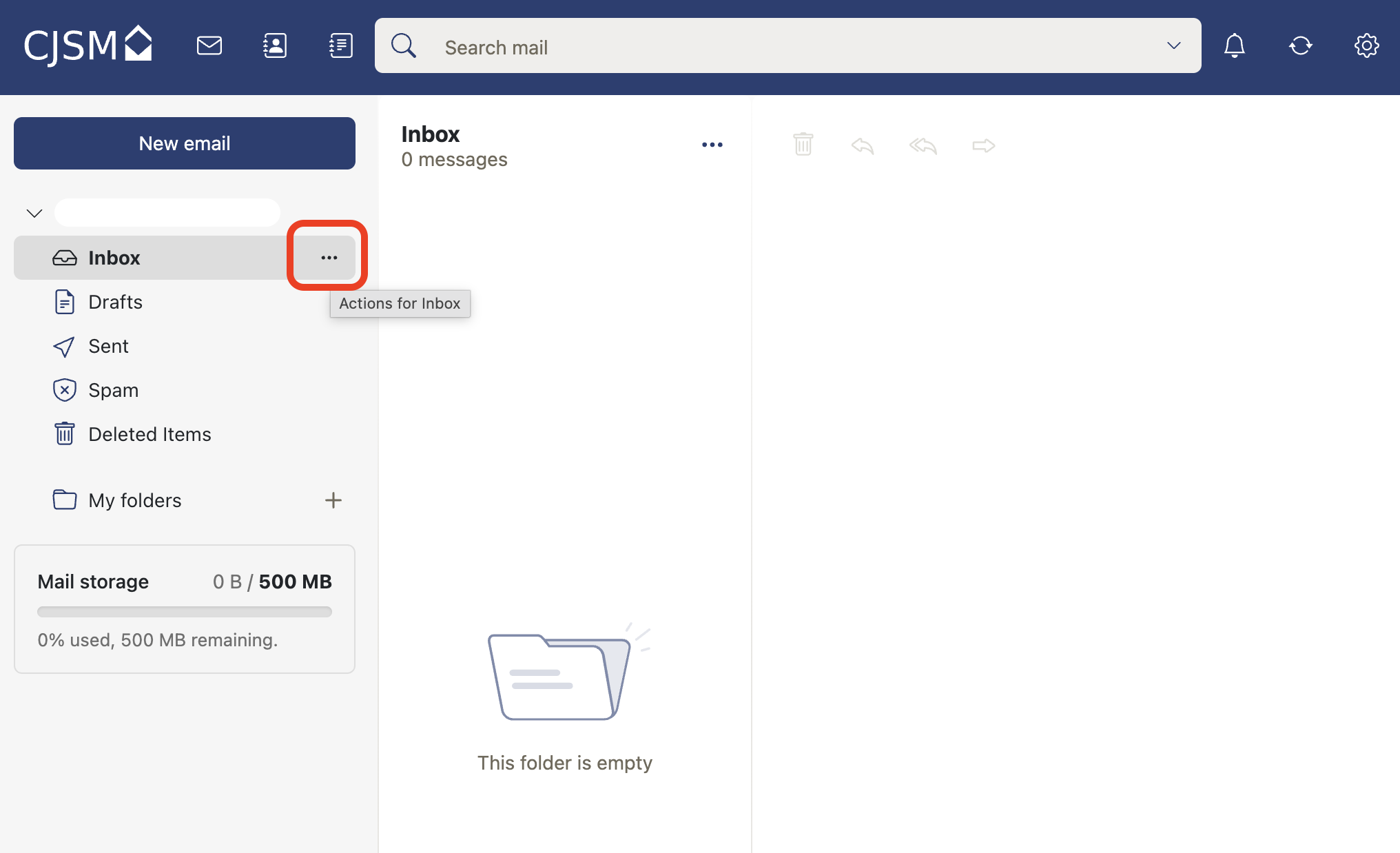
- From the dropdown menu you can add a new folder, add to favourites, add share permissions, archive, move, clean up and mark all emails as read.
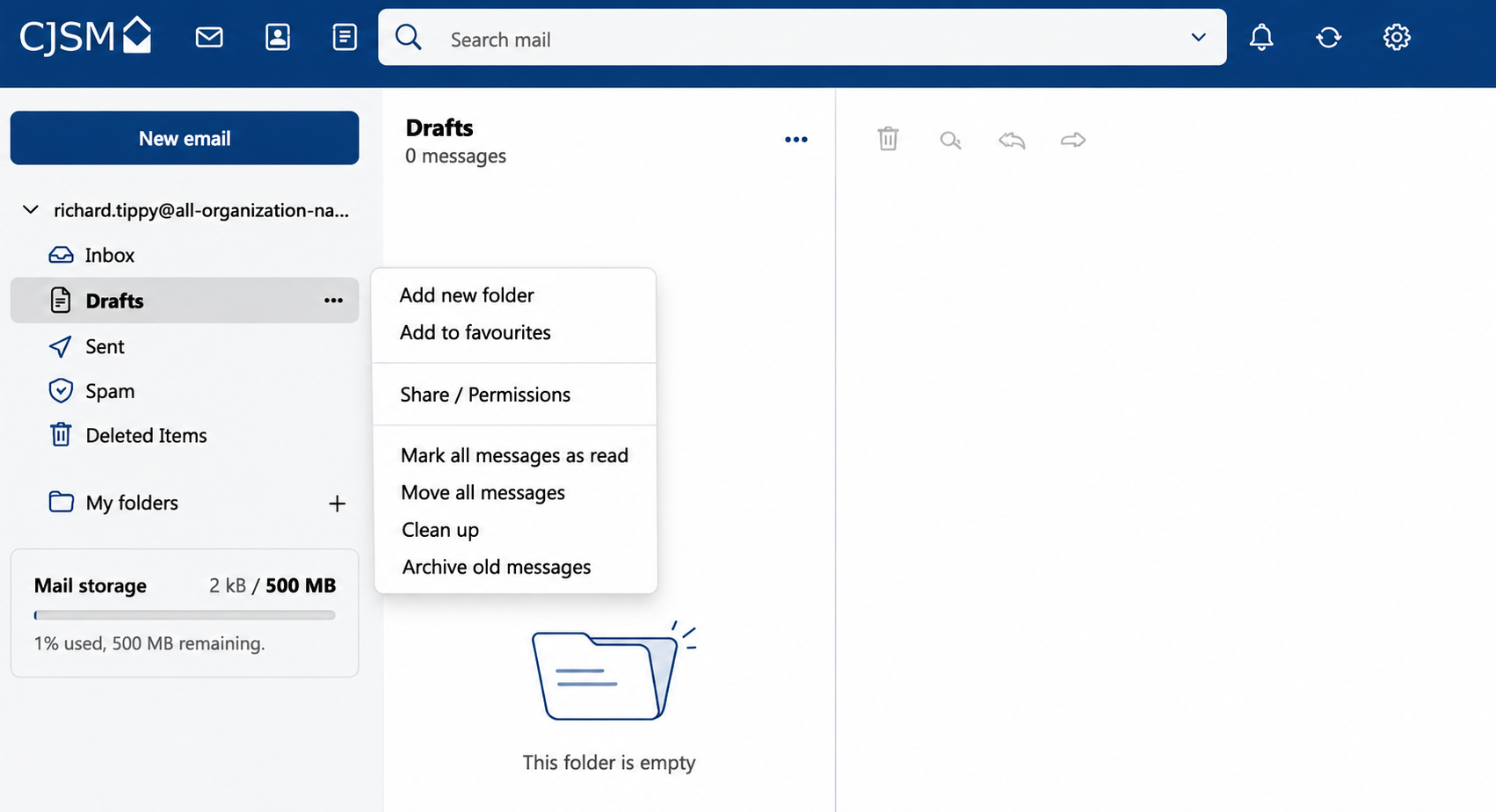
- To add share permissions, select share permissions, you can then select either Viewer (read only) or Author (read, write and delete) permissions and add the people you want to invite.
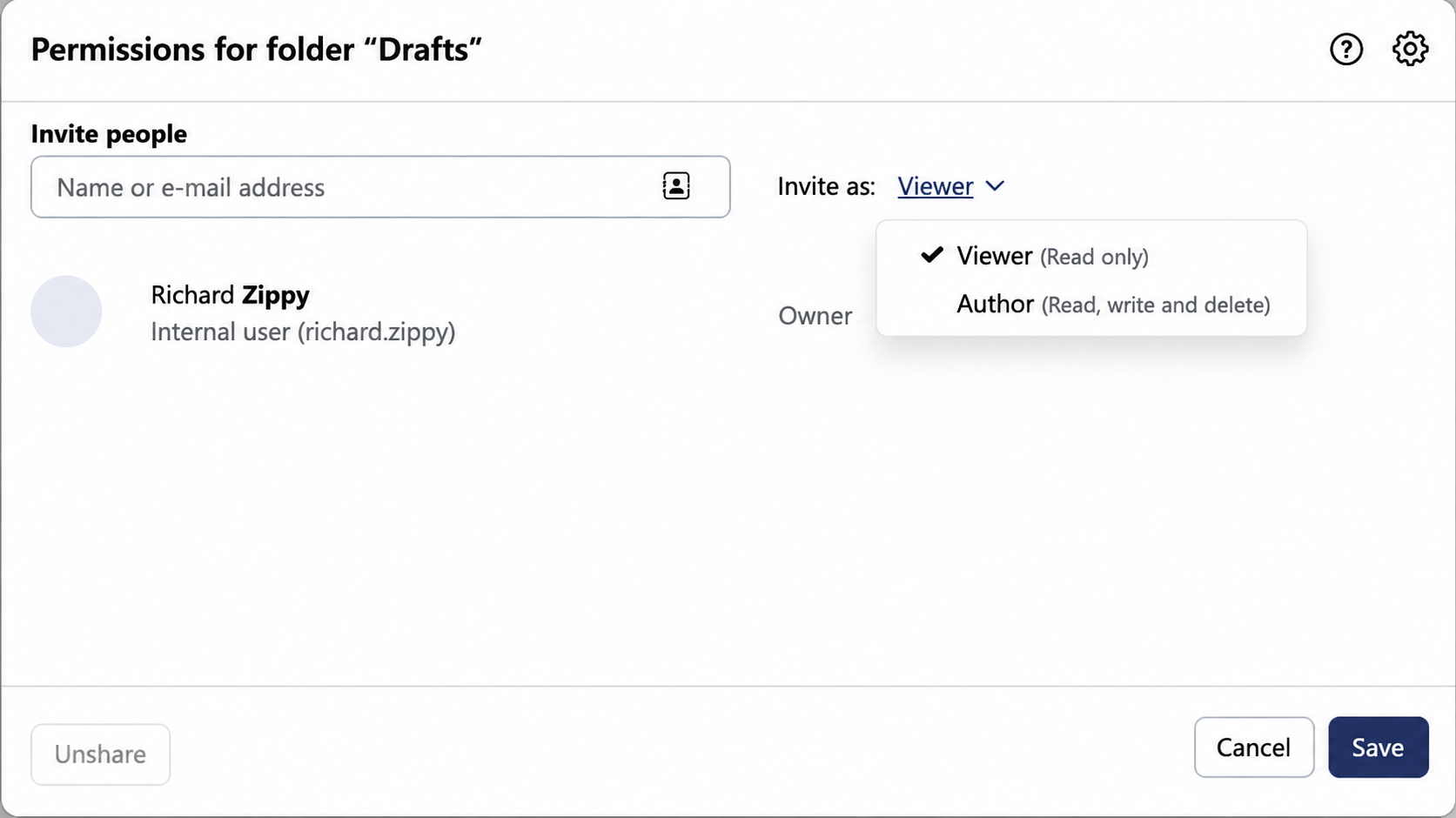
- The invited people will then receive an invite to their CJSM account granting access.