
Reset user account

A guide on how an administrator can reset a users full account.
Steps
- Select the Admin section.

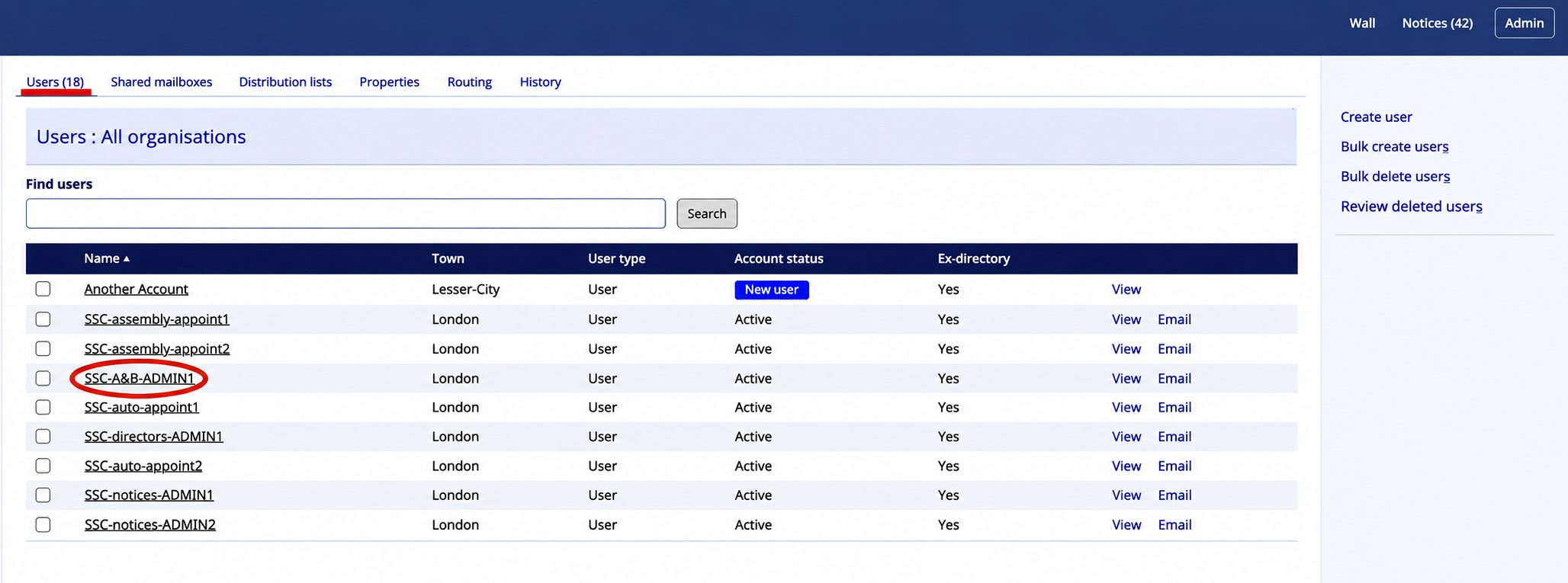
- Select the required user from the users list.
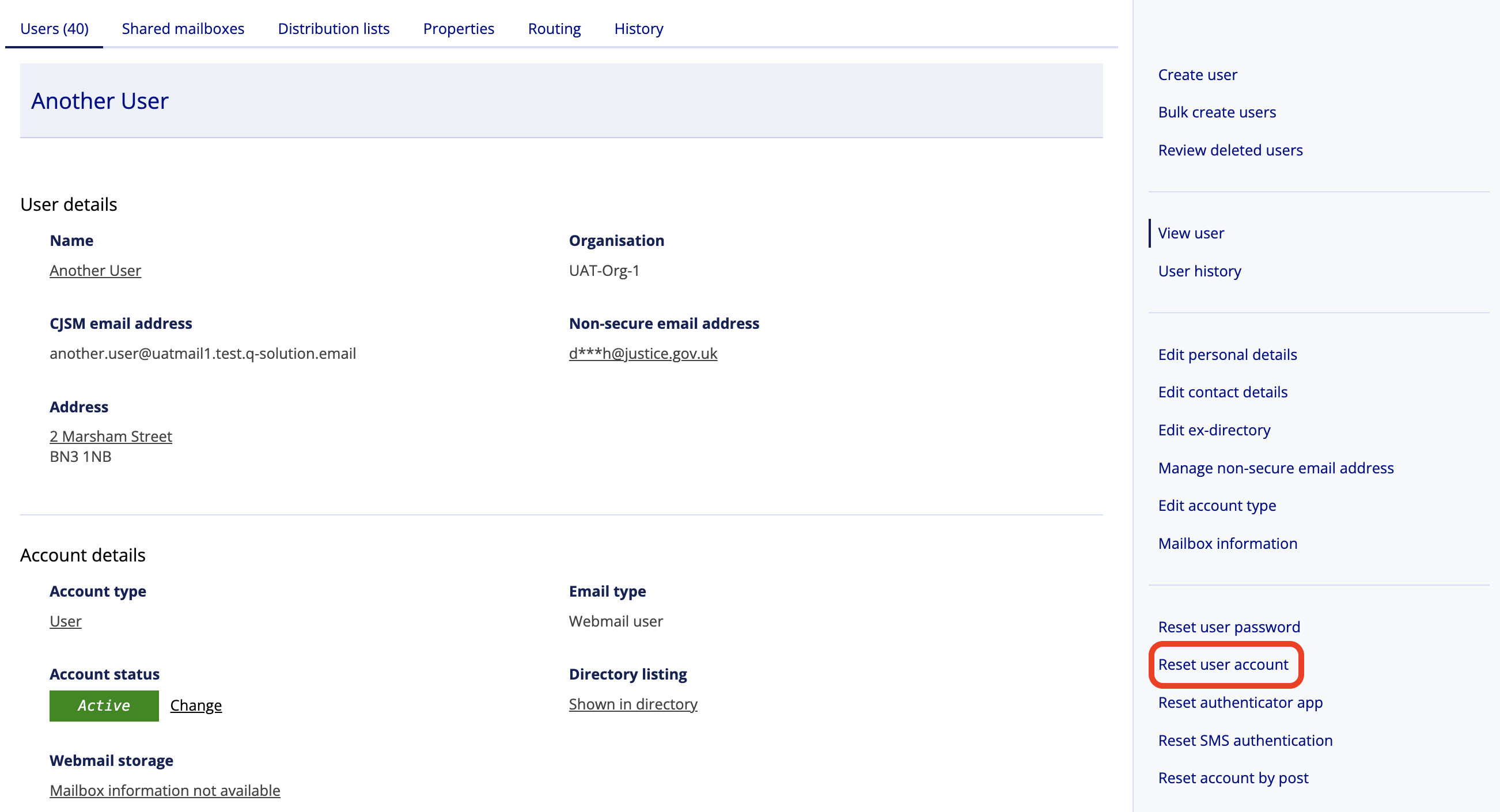
- Select Reset user account.
- Reset user account screen is displayed
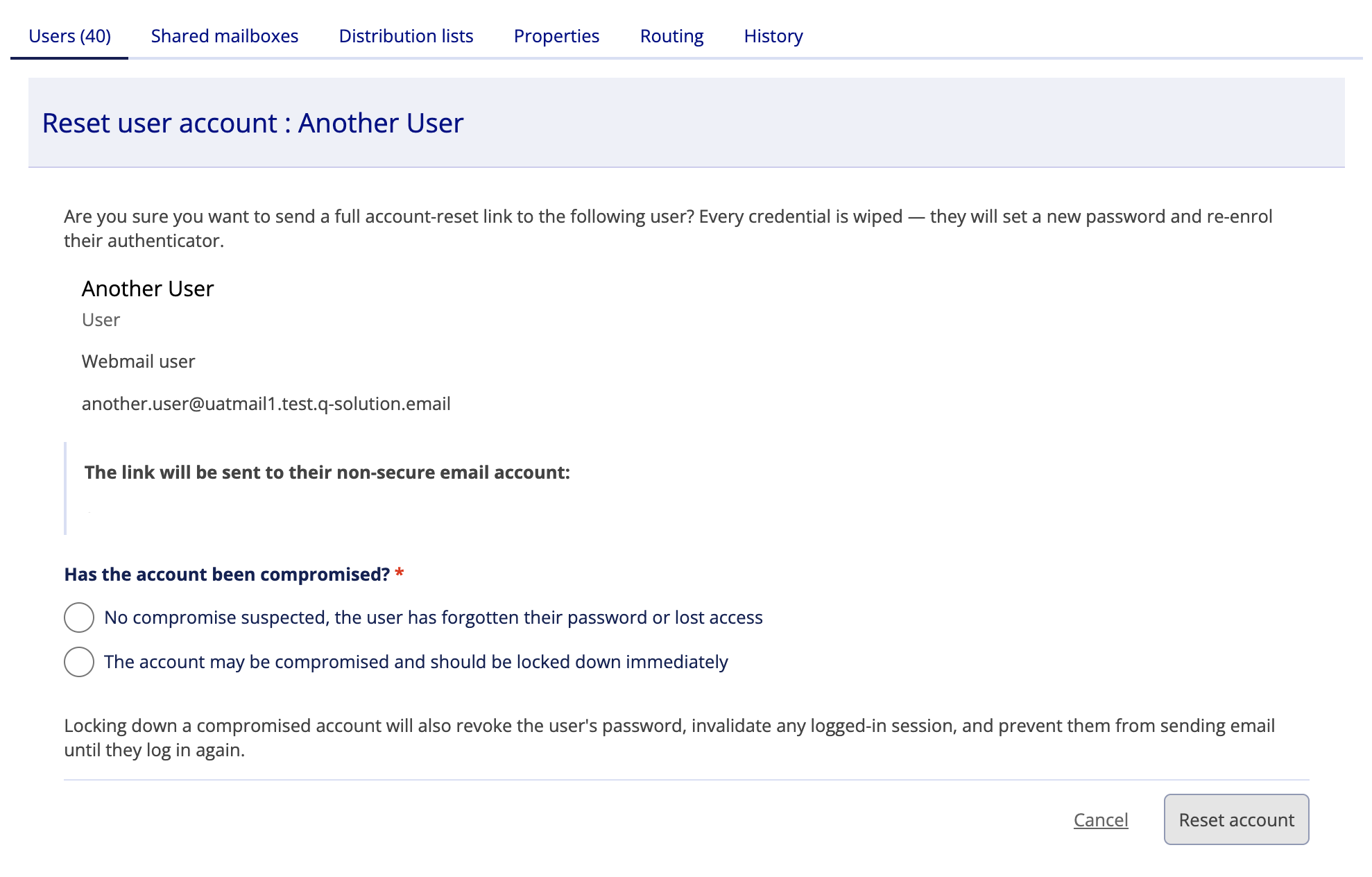
- Select one of the ‘Has the account been compromised?’ options.
Note
Locking down a compromised account will also revoke the user’s password, invalidate any logged-in session, and prevent them from sending email until they log in again.
- Select the reset account button
- The user will now receive a reset email to their non-CJSM email account allowing them to reset their details