
Add a new user or organisation admin user

A guide on how an administrator can add a new user.
Please note
Only administrators can add new users.
An Administrator can add either an organisation administrator or a standard user.
Steps
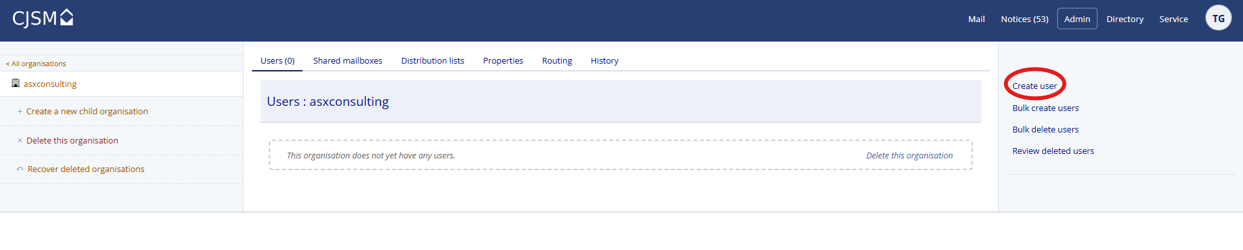
- Login to the CJSM tool, and click ‘Admin’.

- Click ‘Create user’ from the right-hand menu.
- Enter the new user’s details, completing all mandatory fields (marked with an asterisk *). The email type defines how the new user will access CJSM:
- SMTP group users via their regular organisation email inbox.
- Mailbox users have webmail access
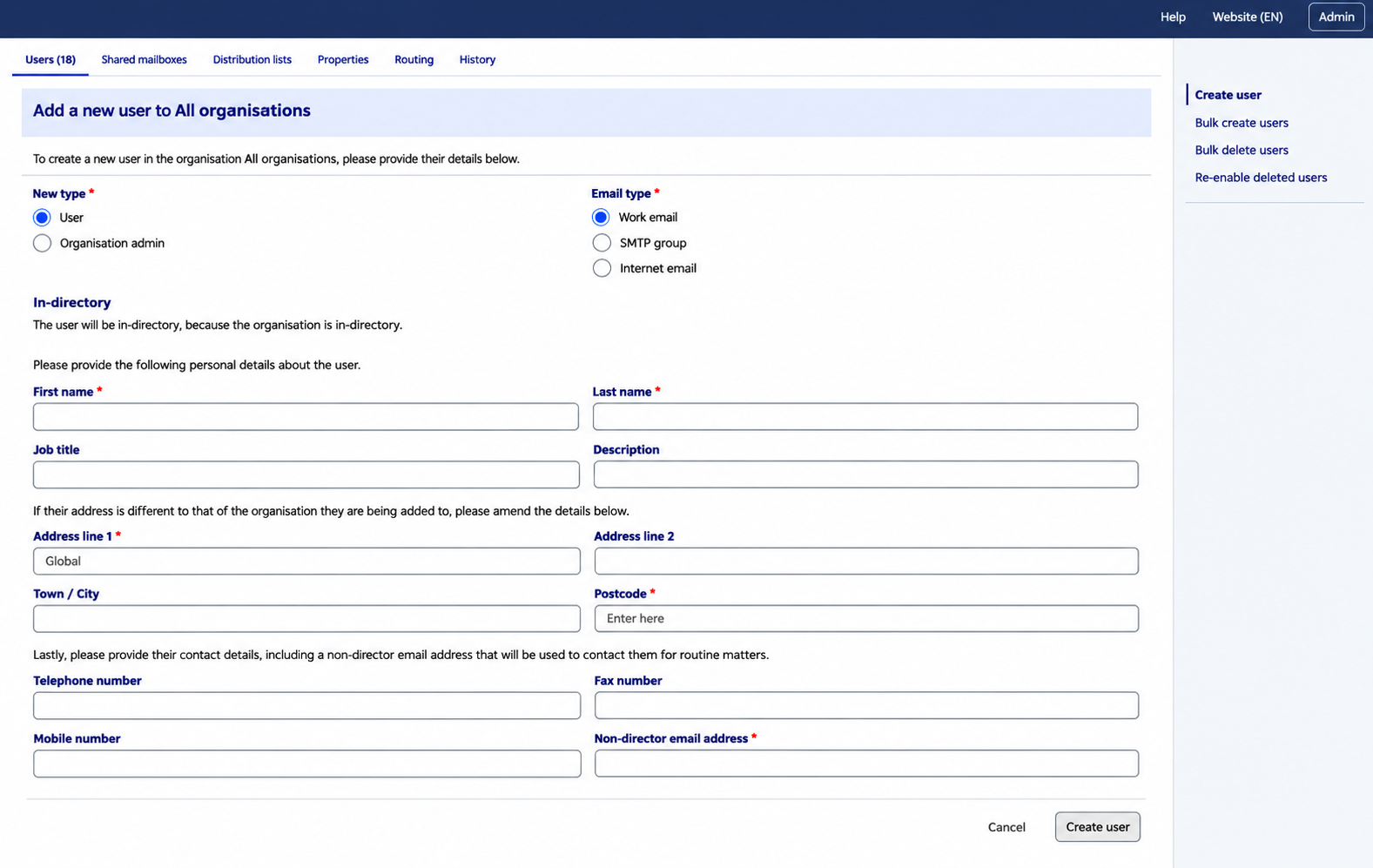
- Click ‘Create user’ to complete the form.
- The new user will now receive a New account email in to their non-CJSM email inbox.