
Edit user details including mailbox quota

A guide on how an administrator can edit a users:
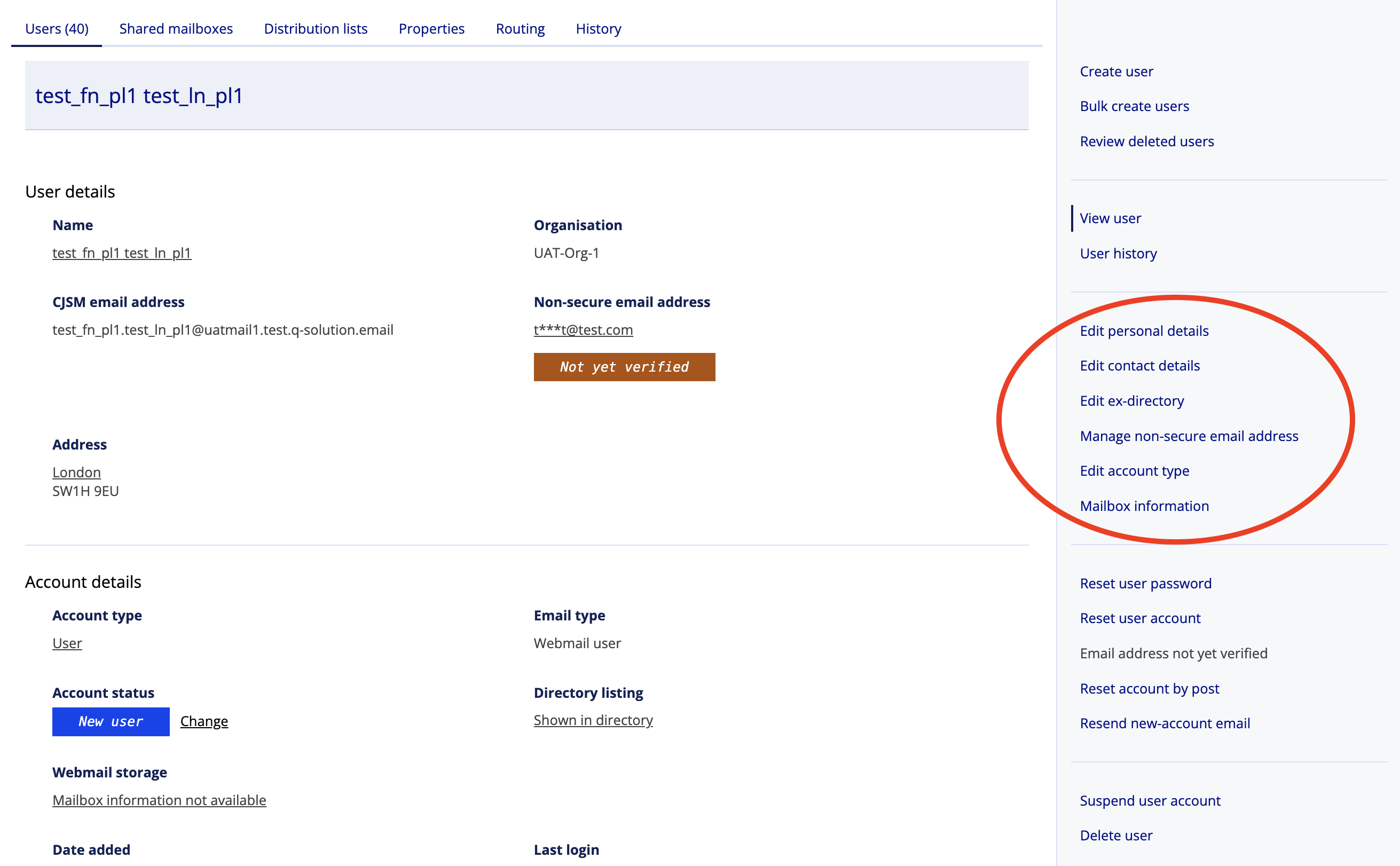
- Personal details
- Contact details
- Non-secure email address
- Account type (grant organisation admin rights)
- Mailbox information (mailbox storage quota)
Steps
- Select the Admin section

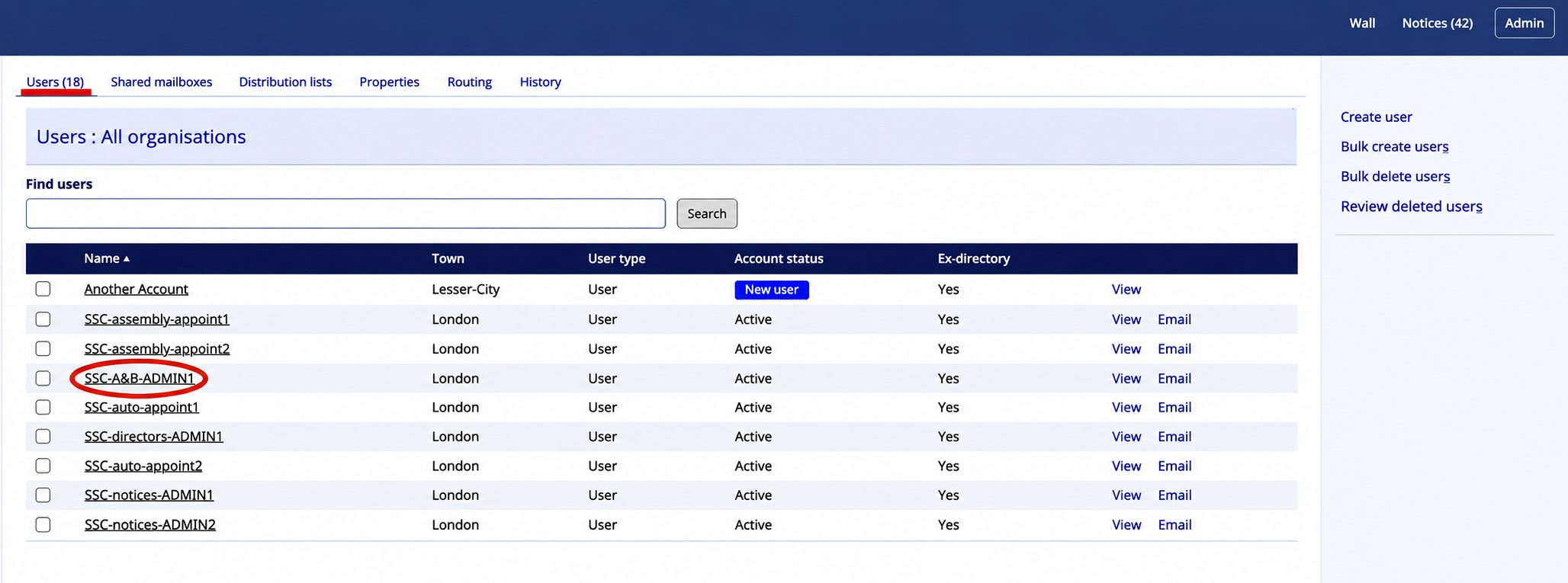
- Select the required user from the users list.
- Select the required area.
- Update the required values from the Edit page.