Setting notification emails

A guide on how a user can set notification emails for their own account
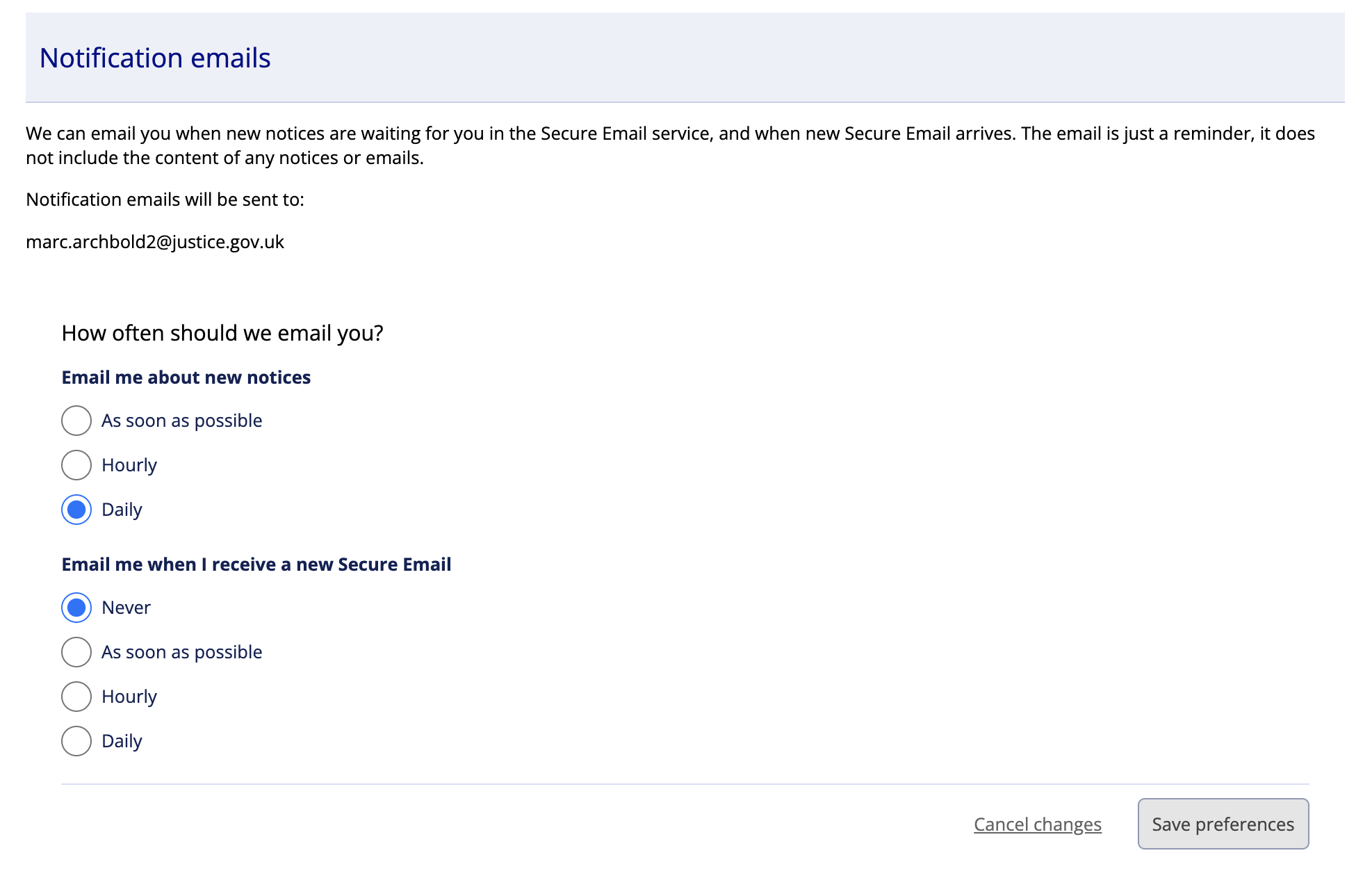
Notification emails will be sent to your non-secure email address. We can email you when new notices are waiting for you in the Secure Email service, and when new Secure Email arrives. The email is just a reminder, it does not include the content of any notices or emails.
Steps
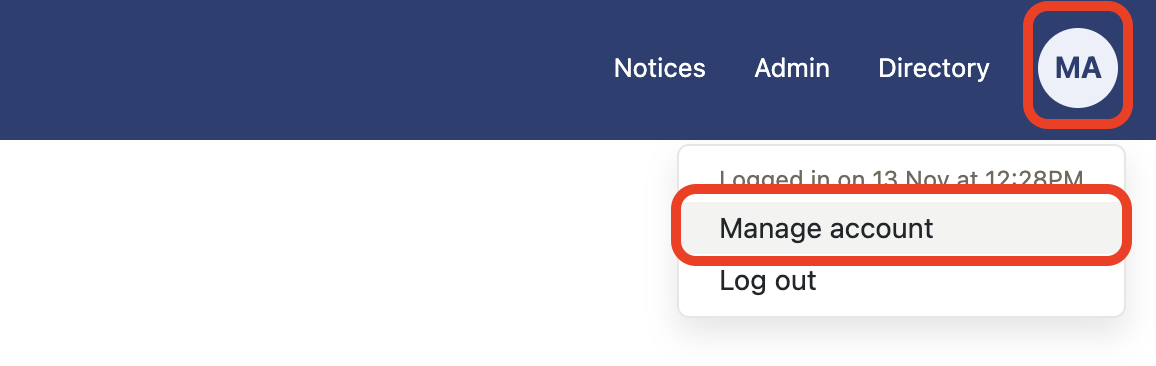
- Select Manage account from My account.
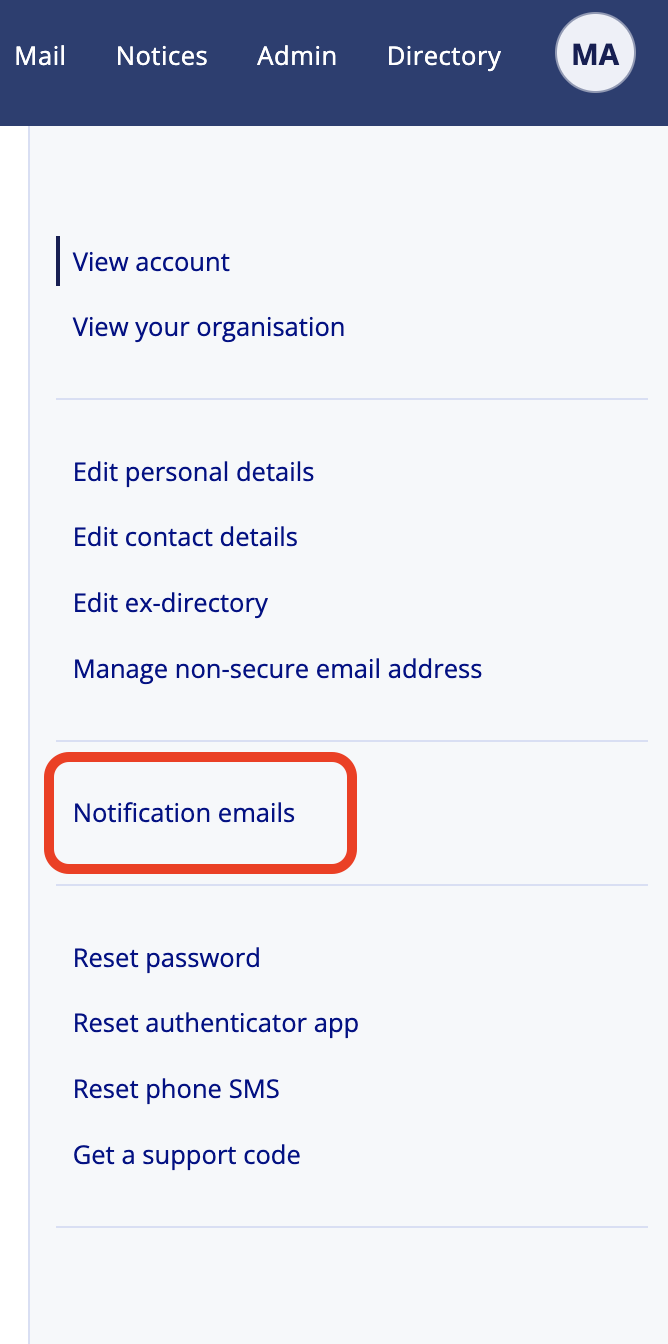
- Select Notification emails.
- Select how often you want to receive both email and notices and save preferences.