
IMB users logging in for the 1st time after 21/22 Nov 2026 maintenance

Background
As an IMB user of the CJSM webmail service, you must complete this process before visiting a secure location.
You must sign in to the new CJSM webmail service using multi-factor authentication (MFA) at least once before you can access the service without MFA from a secure location.
You only need to complete this process once. As part of the move to a new supplier, you will be asked to review and reconfirm several account details.
Steps
Important
The screens you see may vary depending on your existing CJSM configuration.
- Sign in to CJSM at https://www.cjsm.net.
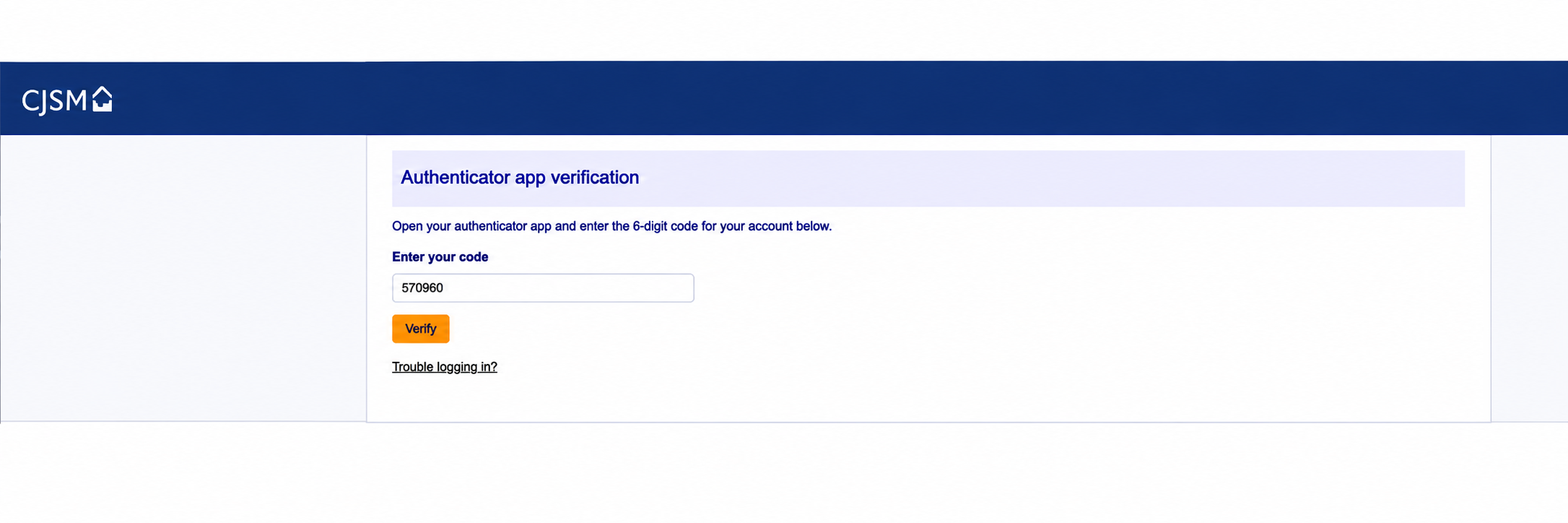
- When prompted for Authenticator app verification, open your authenticator app, enter the relevant code, and select Verify.
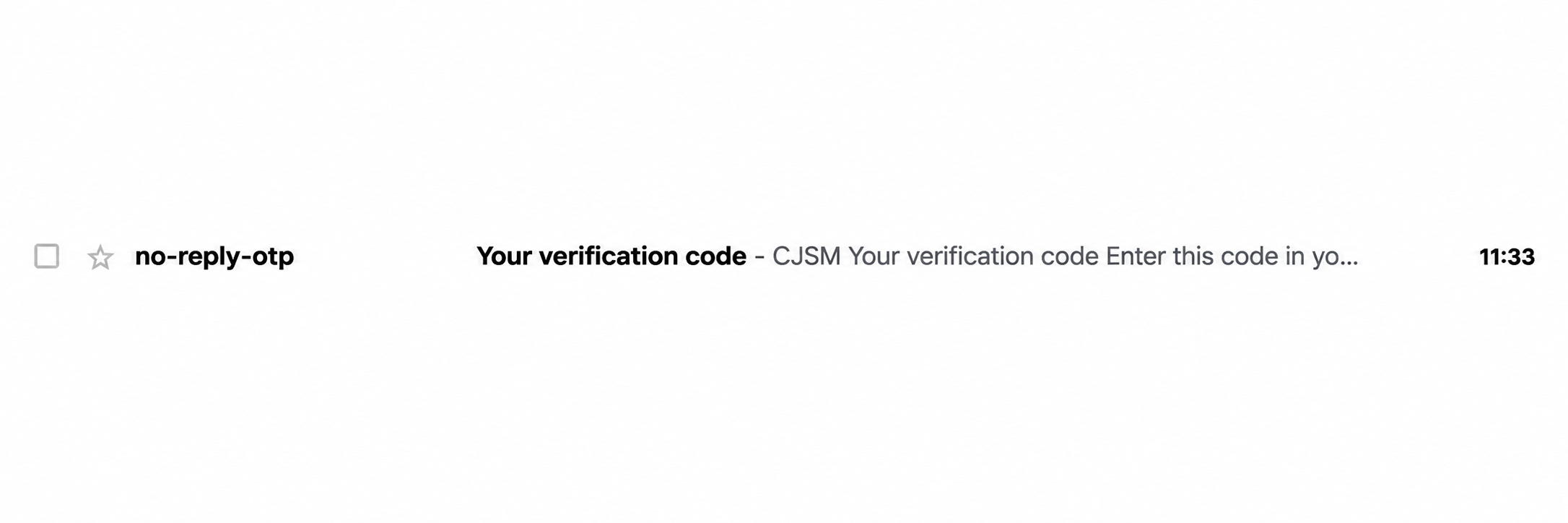
- CJSM will email a verification code to your registered non-secure email address.
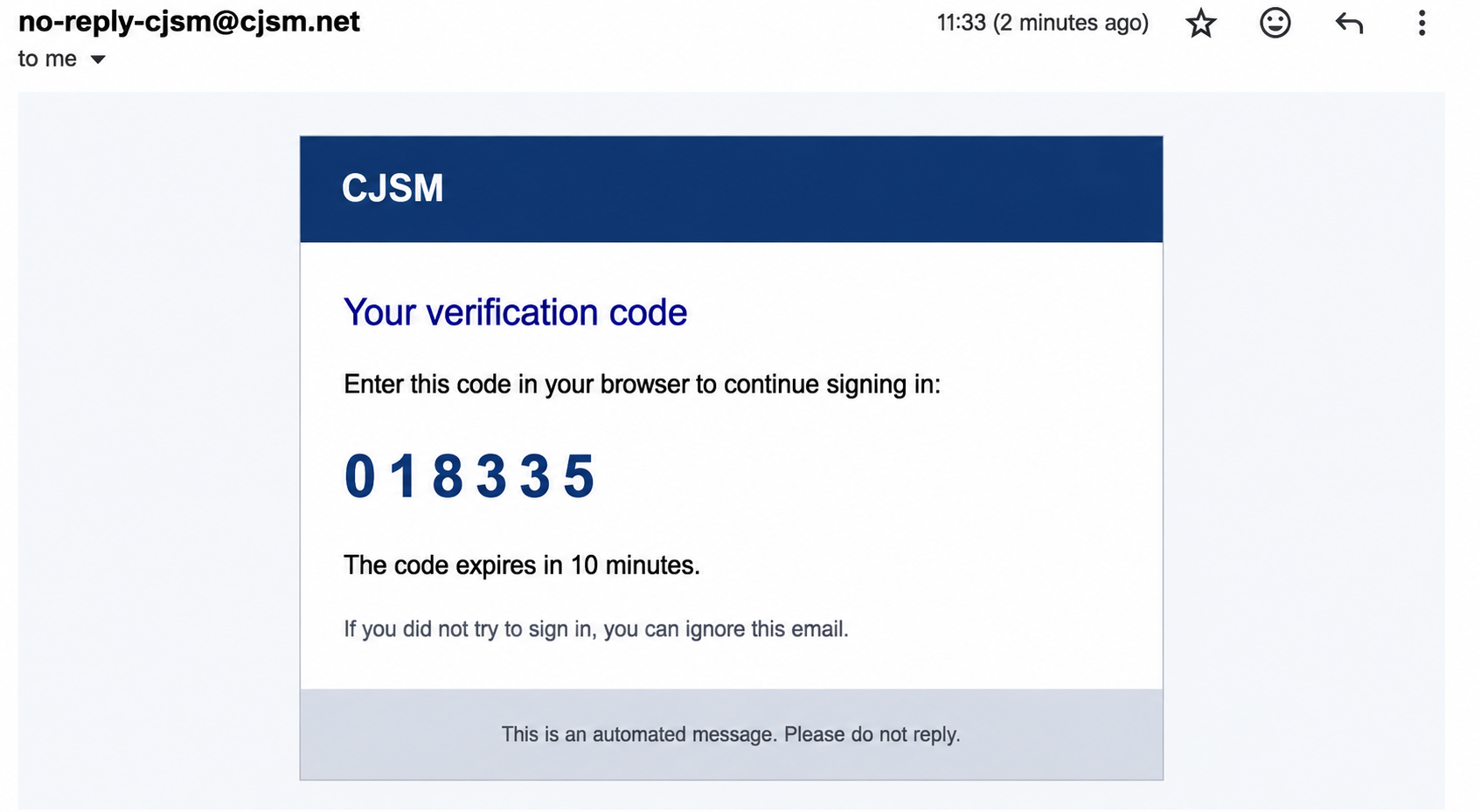
- Open the email and make a note of the code. An example email is shown below.
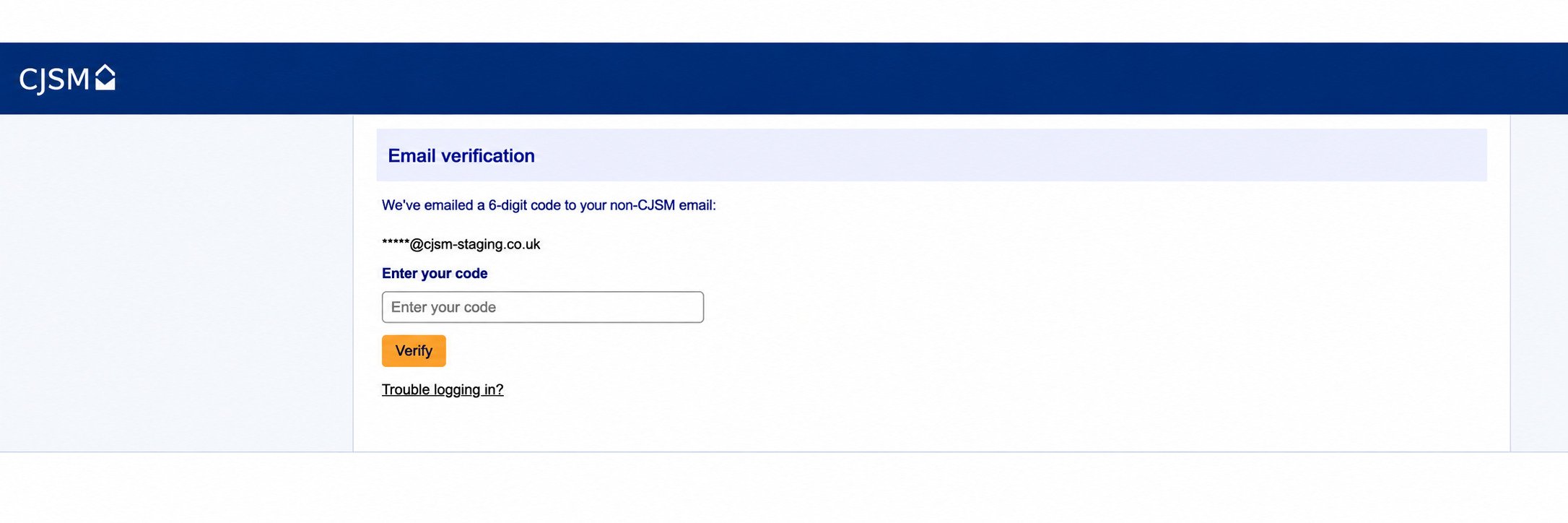
- Return to your browser, enter the code you received, and select Verify.
- You can also choose to receive authentication codes by SMS. The next screen lets you select this option.
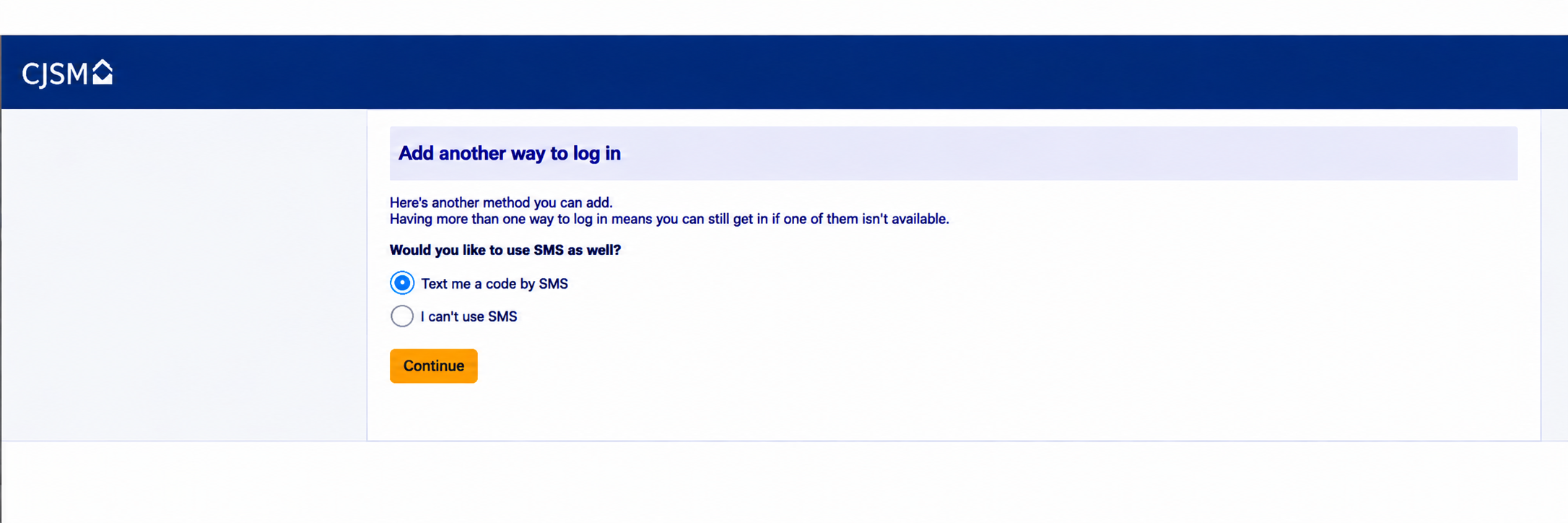
- If you want to use SMS as an alternative to the authenticator app, select Send me a code by SMS, then select Continue.
- Enter the code received on your mobile phone and select Verify code. Do not select Continue at this stage.
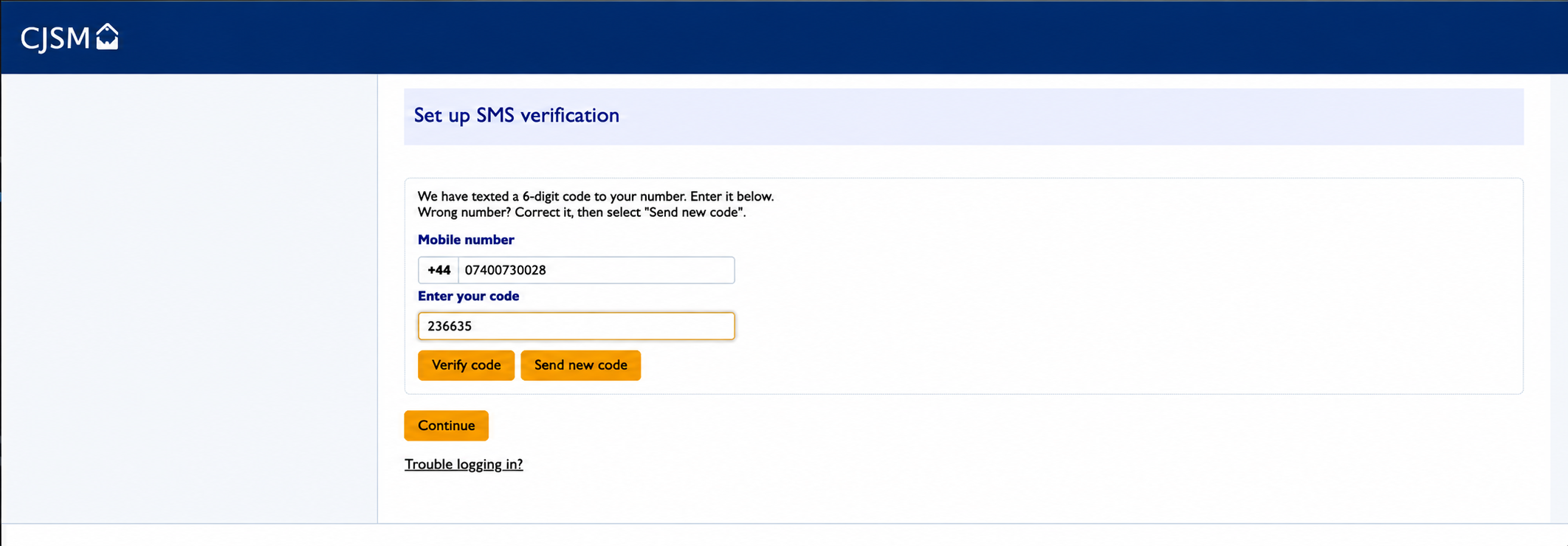
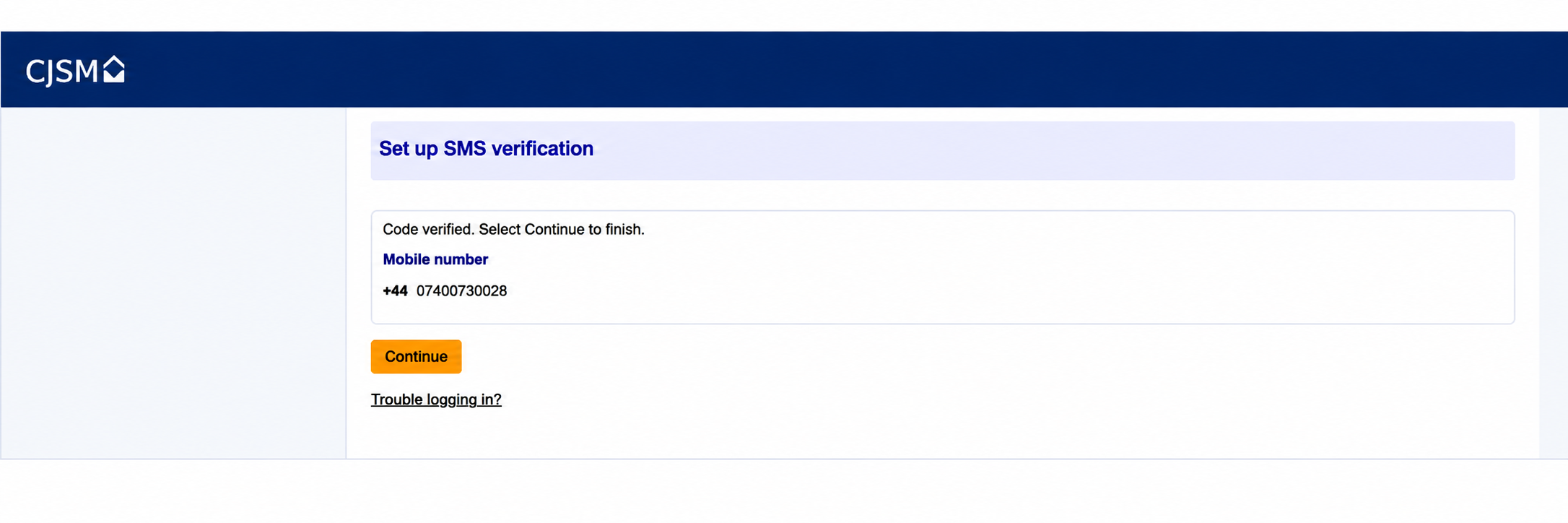
- Once the code has been verified, the following screen will appear. Select Continue.
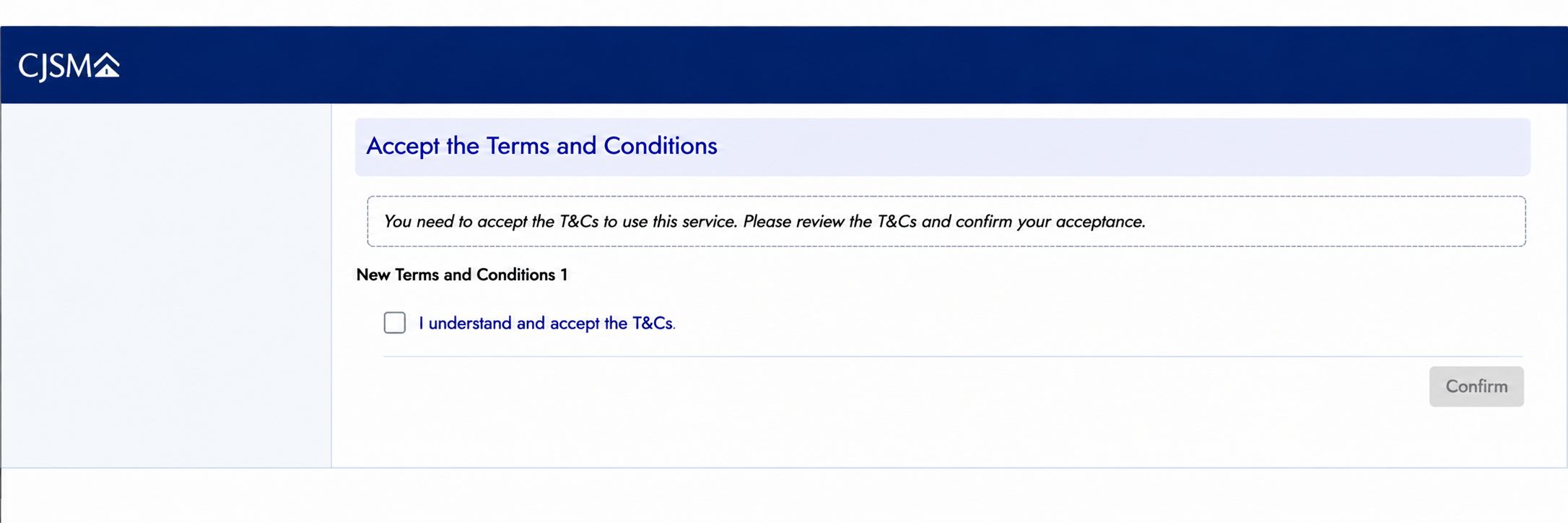
- Accept the Terms and Conditions by selecting the checkbox next to I understand and accept the T&Cs, then select Confirm.
- You will then be taken to your webmail inbox.
Should you require Support
The CJSM Helpdesk will be able to support you should you need any assistance and can be reached on 020 7604 5598 or cjsm.helpdesk@cjsm.justice.gov.uk.