Creating and managing shared mailboxes

A guide on how to create and manage a shared mailbox.
Steps
- Login to CJSM and click on ‘Admin’.

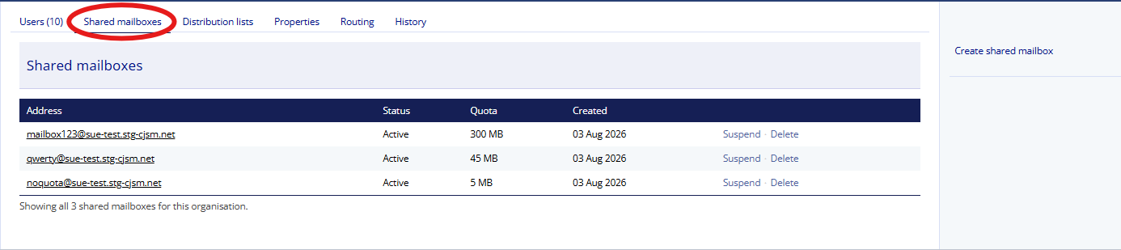
- Click on the ‘Shared mailboxes’ tab.
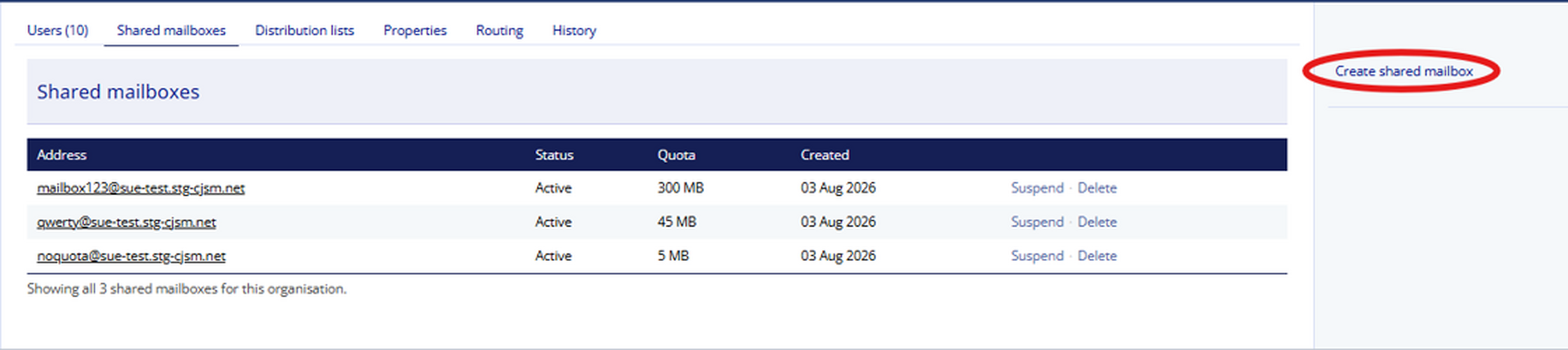
- In the right-hand menu, click ‘Create shared mailbox’.
- The Create a shared mailbox screen displayed.
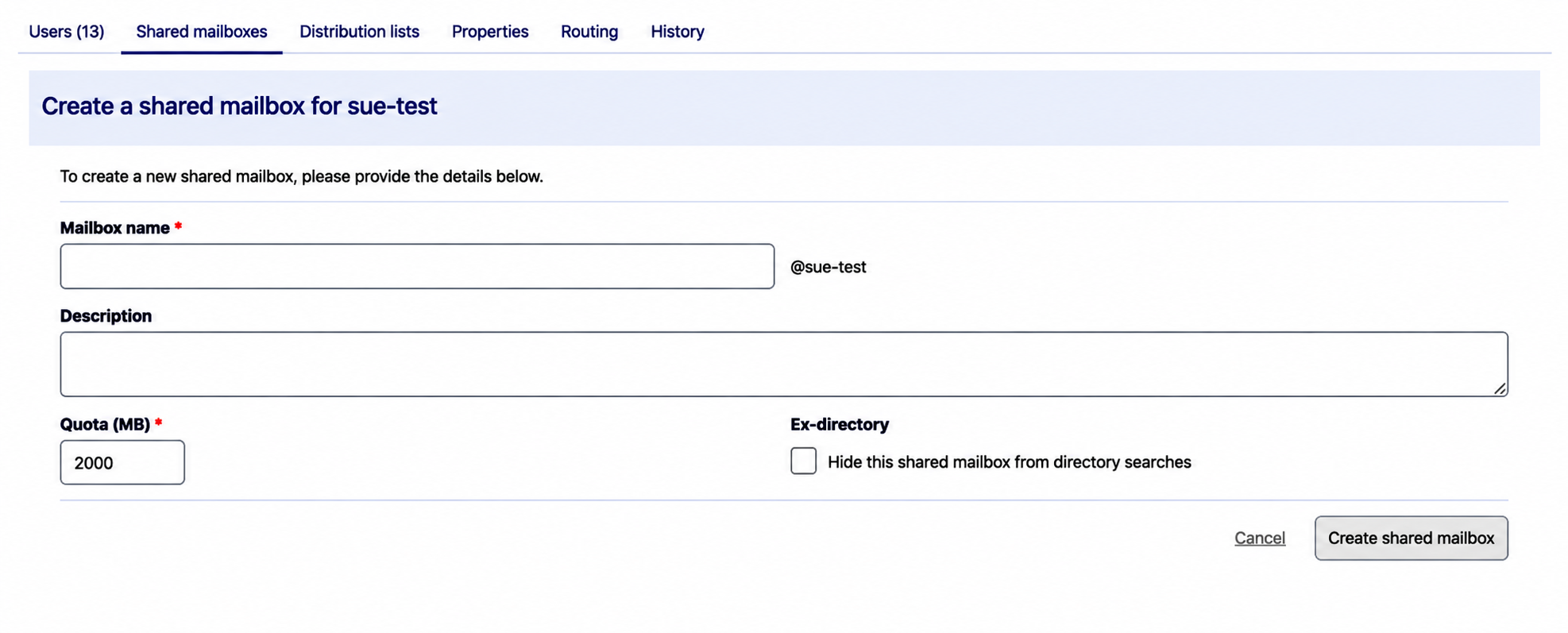
- Add a mailbox name, the postfix is already set form the organisation details, add the list name and description then select Create shared mailbox. Mailbox names can be up to 64 characters long. You can use letters and numbers. Dots, hyphens, and underscores are also acceptable, but you cannot use two together. Add Description, Quota and Ex-directory visibility.
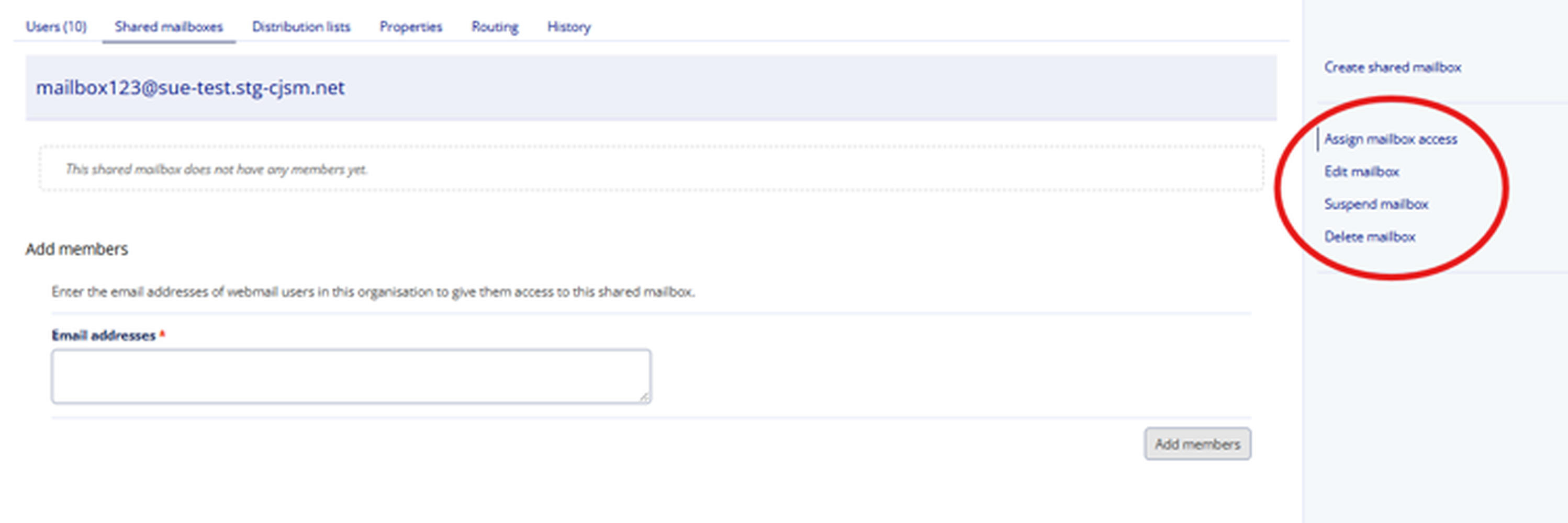
- You can manage the shared mailbox by disabling or deleting from the Shared mailbox tab.
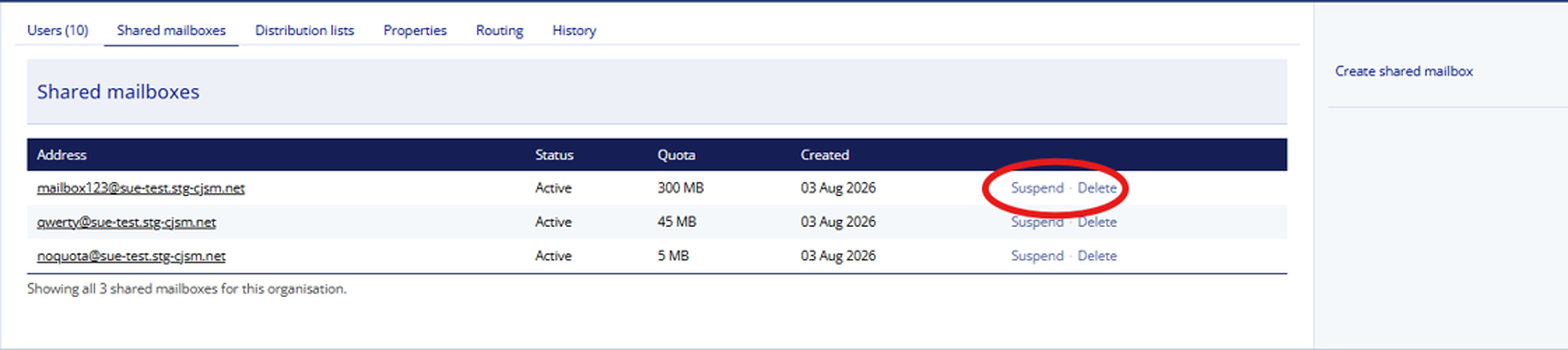
- Or you can select the shared mailbox from the list and Add new members, Edit mailbox details including Quota and Ex-directory options as well as Suspend and Delete.