
Creating and managing distribution lists

A guide on how to create and manage a distribution list.
Steps
- Login to CJSM and Click ‘Admin’.

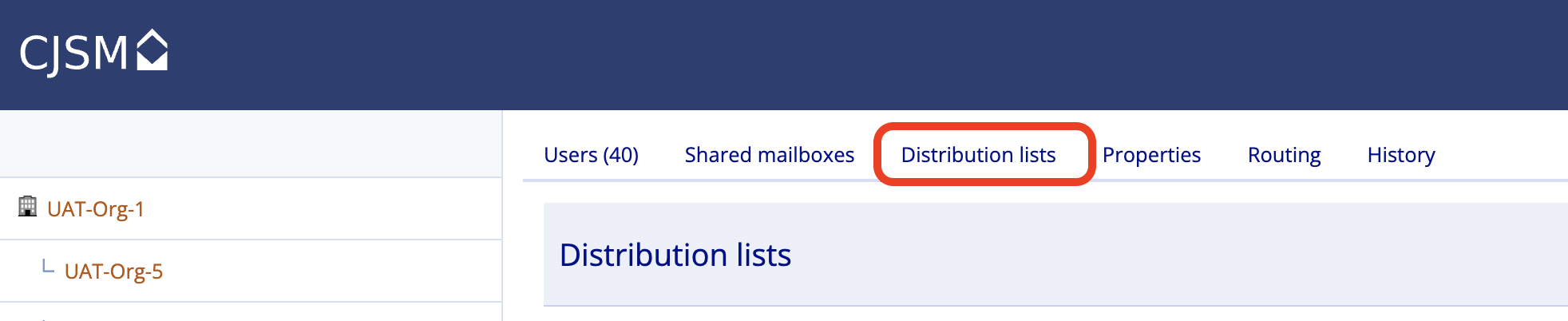
- Click the ‘Distribution lists’ tab
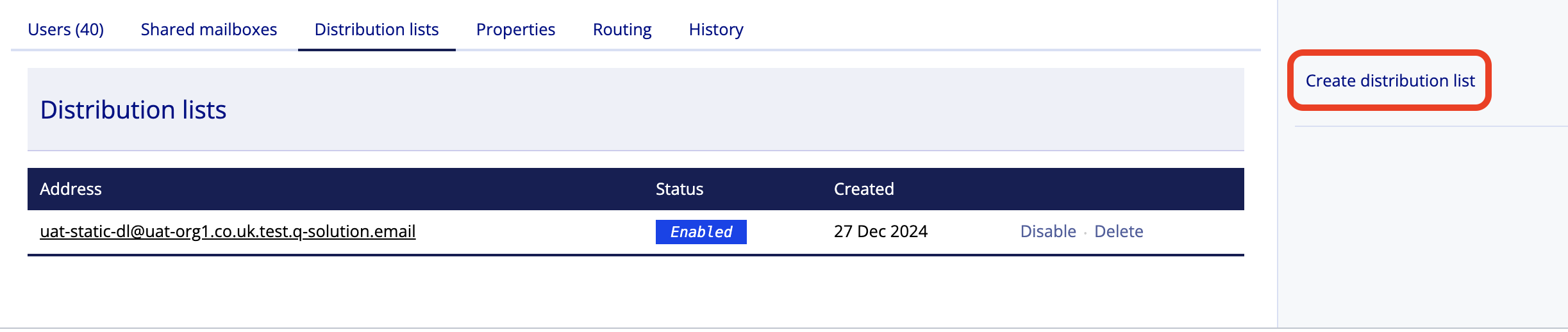
- Click ‘Create distribution list’ from the right-hand menu.
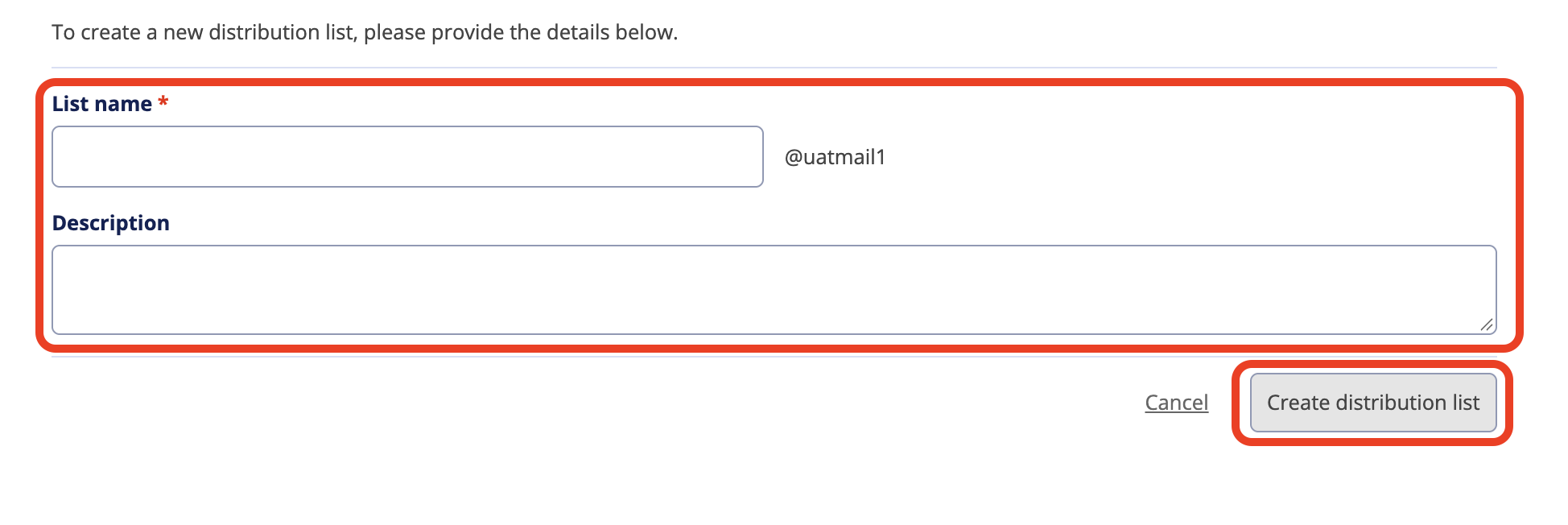
- Add the list name and description then click ‘Create distribution list’.
Note
List names can be up to 64 characters long. You can use letters, numbers, hyphens, underscores and dots but you cannot use more than one dot in your list name.
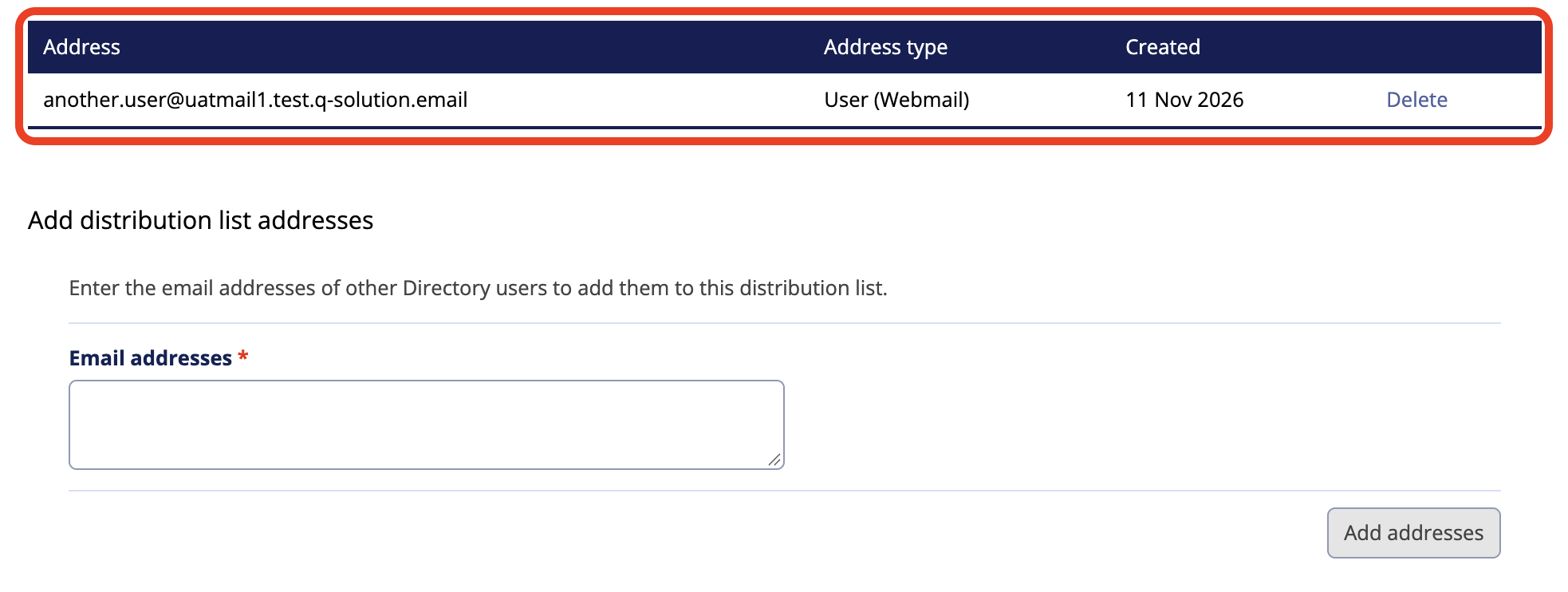
- Enter the email addresses of other Directory users to add them to this distribution list.
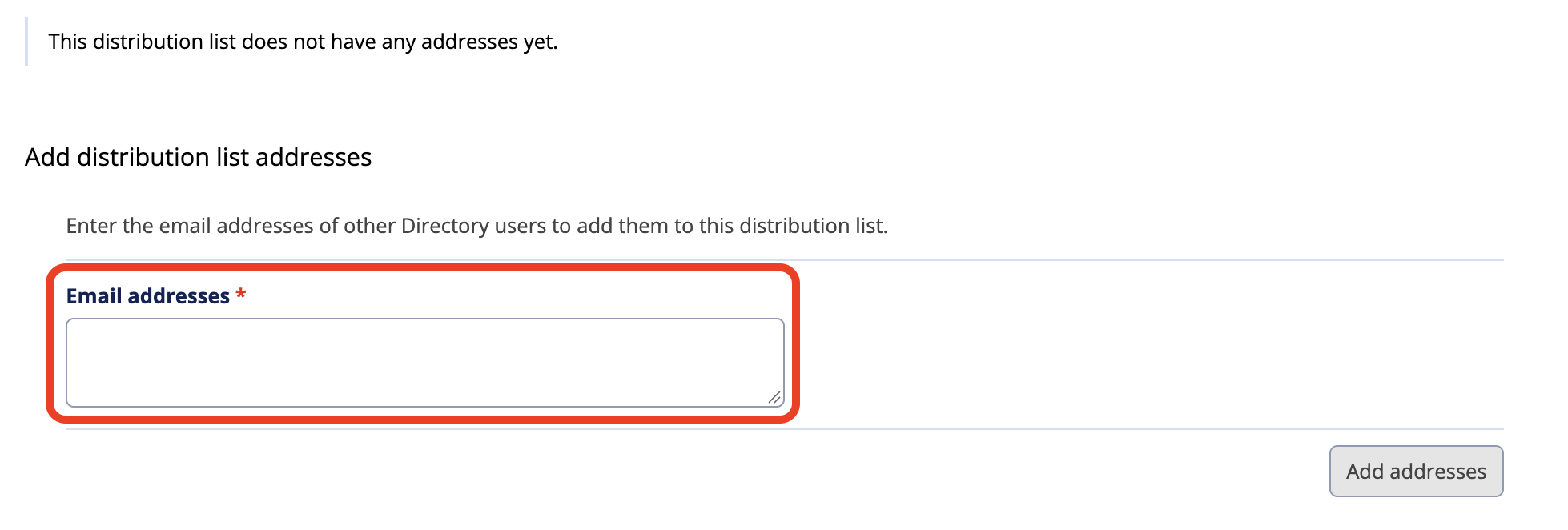
- Email addresses are displayed as you add them, if you made an error you can remove the email address by clicking ‘Delete’. This only deletes the email address from your distribution list, not the system.
- The new distribution list created now shows on the ‘Distribution list’ tab with a status of ‘Enabled’
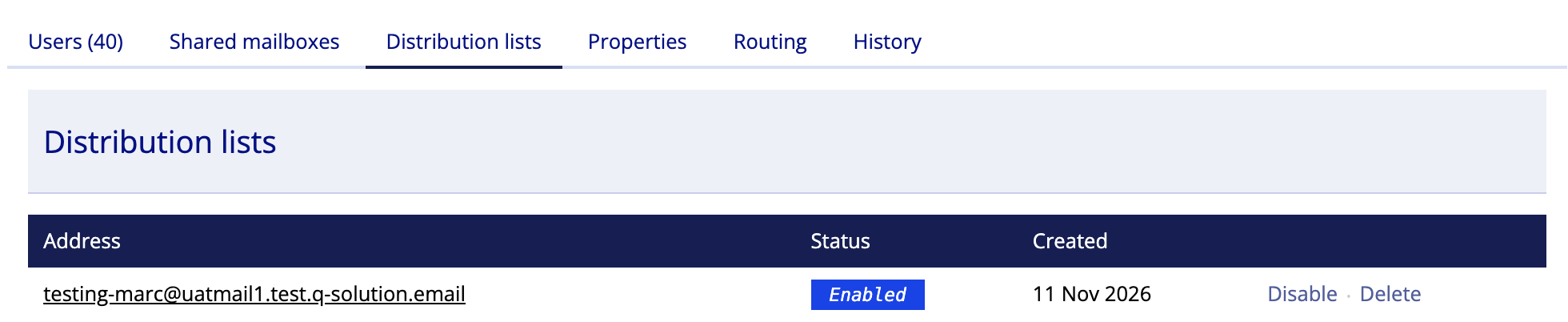
- Distribution lists can be disabled or deleted from the ‘Distribution list’ tab, or you can select the distribution list and manage members – see step 6