
Creating sub-organisations
Delivering clear, accessible, and reliable digital services built to meet the needs of citizens and communities.

A guide on how to create a sub-organisation.
A sub-organisation is a group of users created in CJSM to add to and reflect the structure of the main organisation.
A sub-organisation becomes a child of the parent organisation.
Important
A sub-organisation can only be created by organisation administrators and must share the same domain as the parent organisation.
Steps
- Select the Admin section.

- Select Create a new child organisation from the left hand organisation tree.
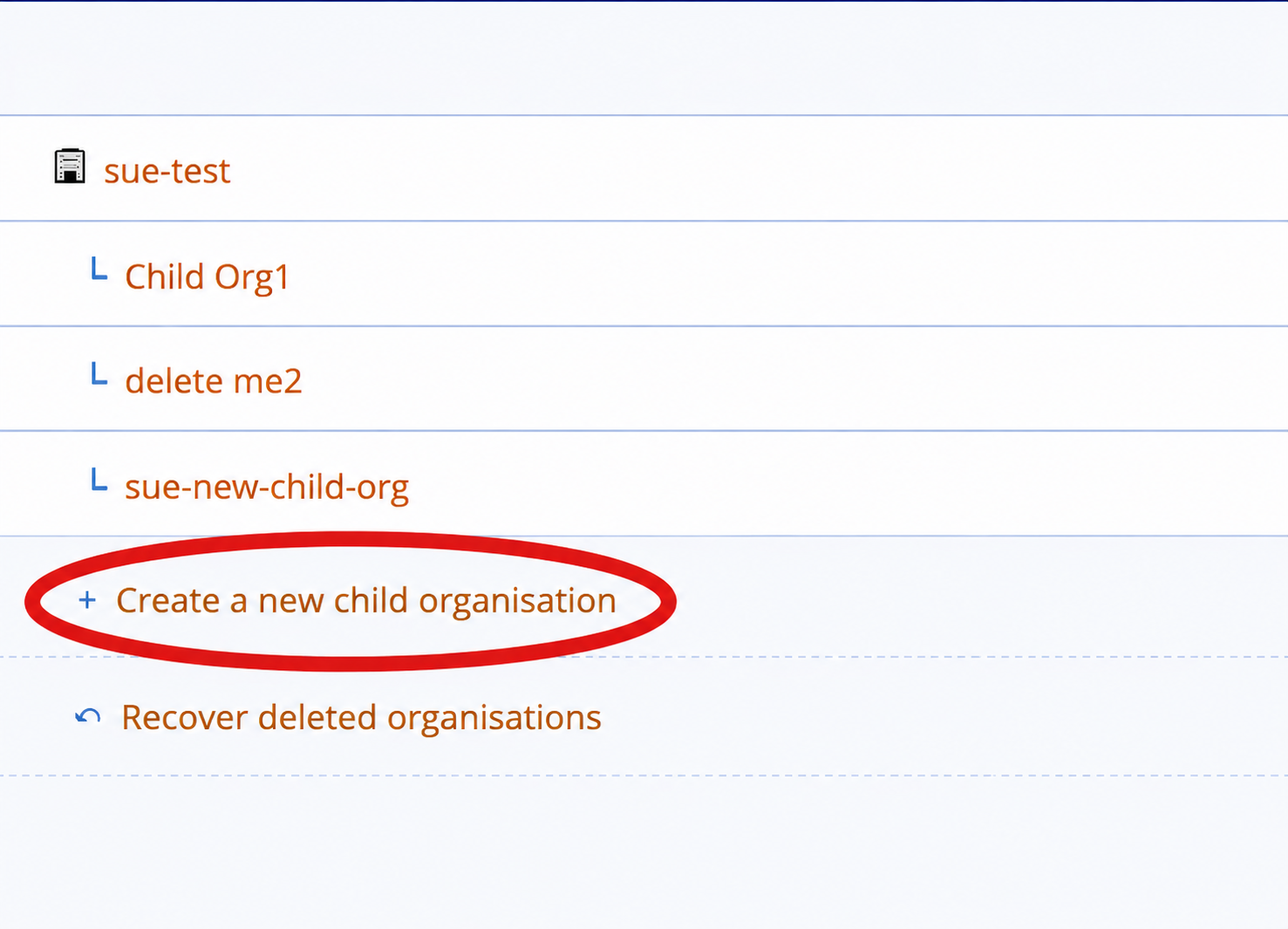
- Or select the Properties tab to display the current organisation properties and select Create child organisation from the right-hand menu.
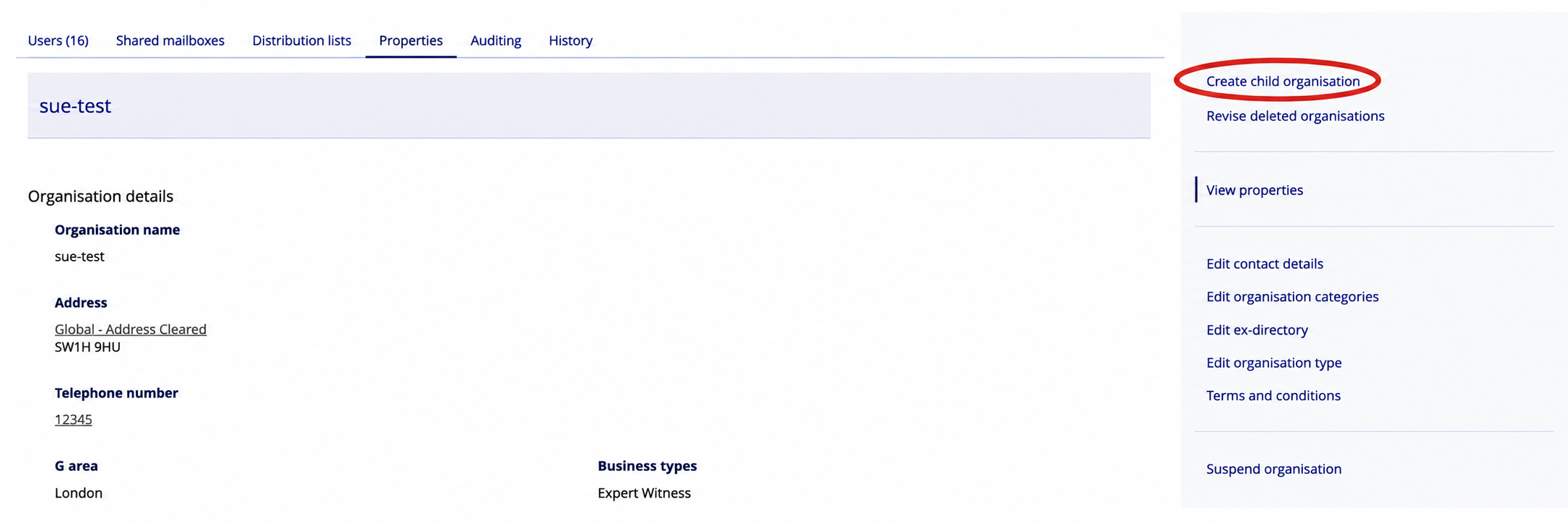
- The Add new organisation screen is displayed, add the new organisation details:
- Mandatory fields are marked with a red asterisk (*)
- Organisation domain will have pre-populated values in a dropdown menu taken from the parent organisation
- The organisation can be set to single or multiple user as well as directory visibility
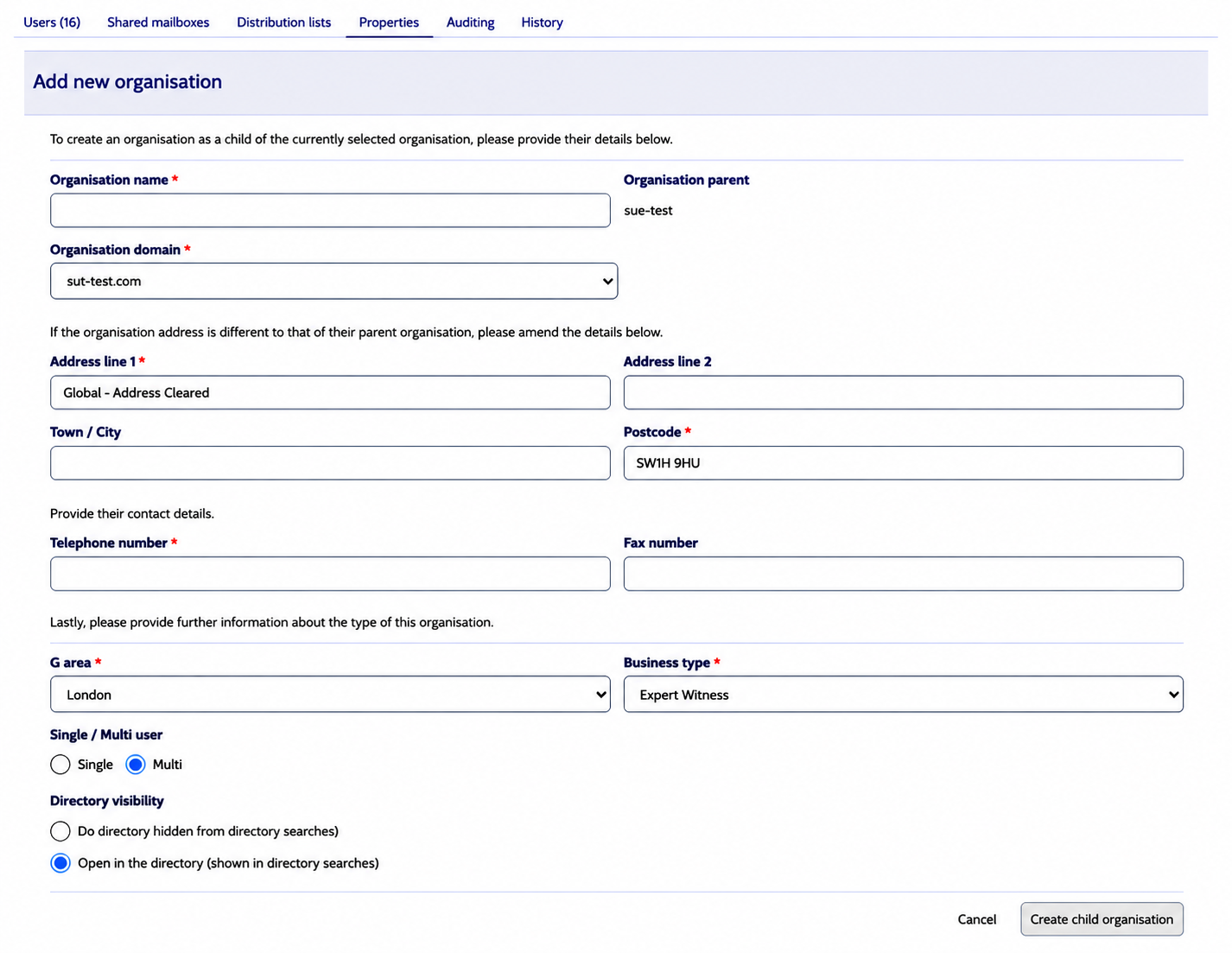
- Select Create child organisation button.